Payments-first property management software
More doors should mean more than more management fees.
Your rent roll already moves through payments. DoorStax runs the property, and qualifying payment volume can become a second revenue line.
Prefer to look around yourself? Start free for 14 days. No card required.
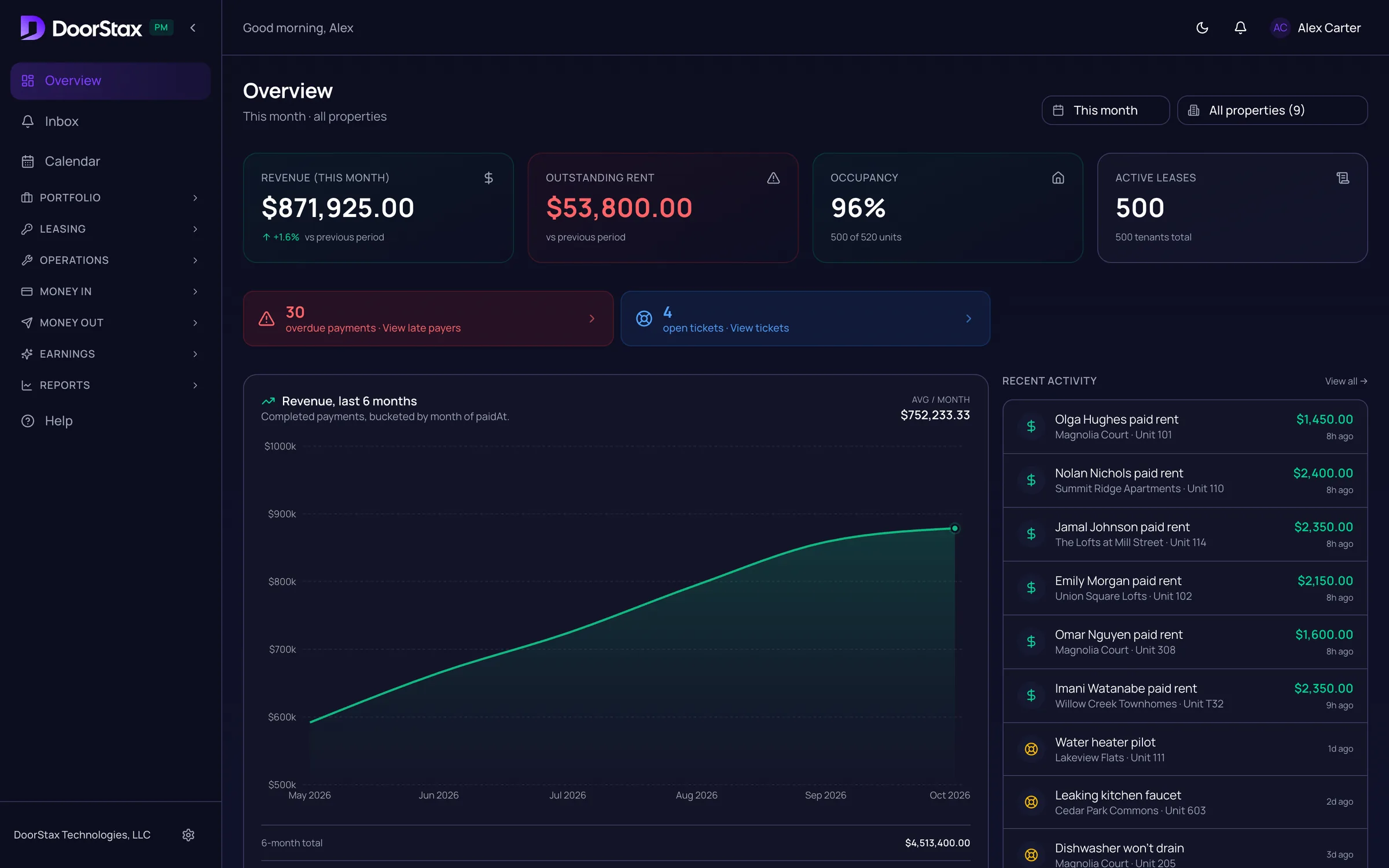
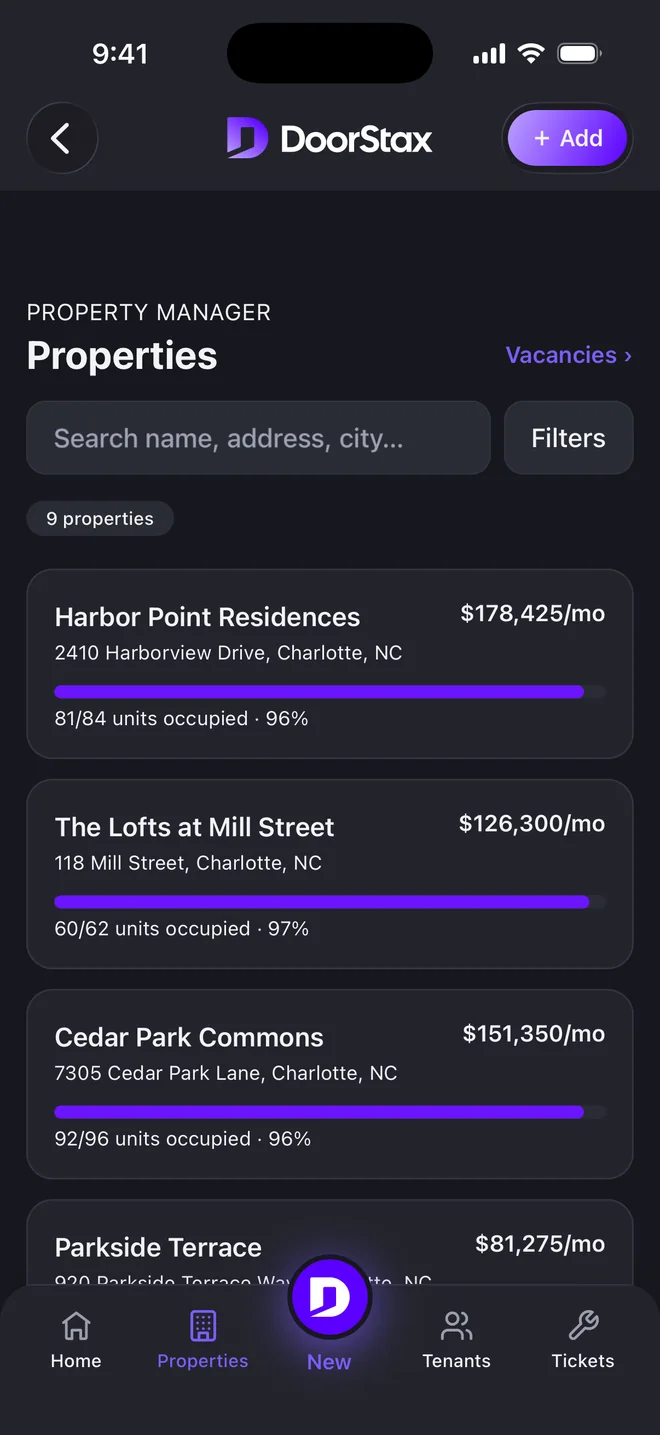
Real product. Demo portfolio.
Beyond the management fee
What would another revenue line mean across 500, 1,000 or 2,000 doors?
See what your portfolio could generateThe usual lever
Add doors.
More management fees. More staff. More to manage.
The other lever
Earn more from each door.
Qualifying payment volume can create an additional revenue line.
How the money moves
Follow one rent payment.
From the tenant’s phone to your Earnings page. You are the merchant of record, processing is by Kadima Payments, and DoorStax never holds the funds.
01
Tenant pays
By bank or card, in the app or the portal.
02
Your merchant account
Opened in your company’s name.
03
Your bank
Rent settles directly to you.
04
Reconciled
Checked against processor settlement every night.
05
Owners paid
Payouts and statements come from the same ledger.
06
Earnings
Qualifying volume, shown on your Earnings page.
One append-only ledger
Corrections are new entries. History is never rewritten.
Declines never post as paid
A charge posts as paid only when the processor approves it.
Kadima Payments processing
Card processing is PCI DSS compliant.
Real product. Demo portfolio.
Everything between rent day and the owner payout.
DoorStax combines rent collection, reconciliation, owner payouts, property operations and payment earnings in one platform. Every screen below is the live product running on a demo portfolio.
Rent day
Every payment arrives with a name, a unit and a ledger entry.
Bank or card, in one list. Autopay and reminders do the asking.
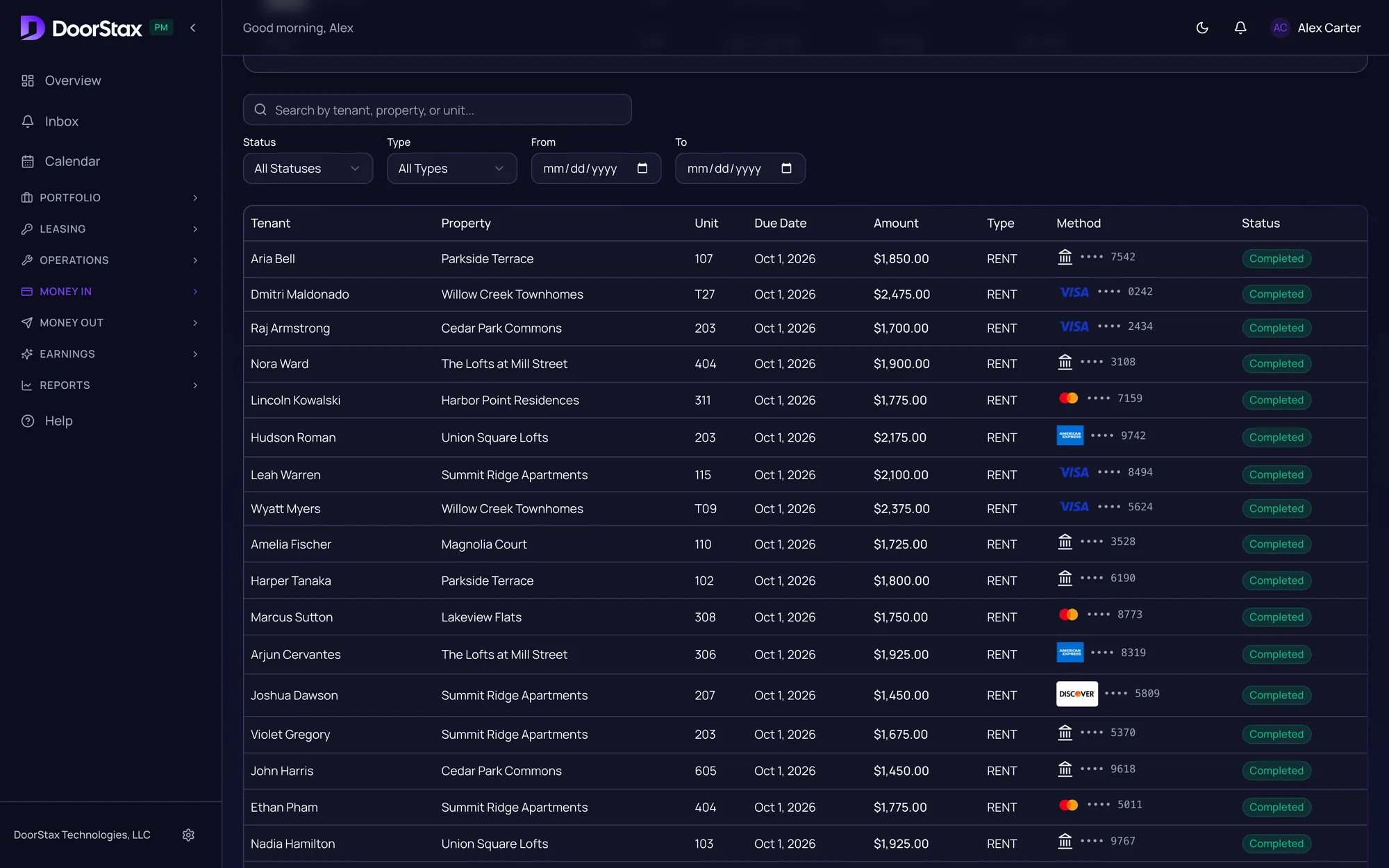
Swipe sideways for the amounts.
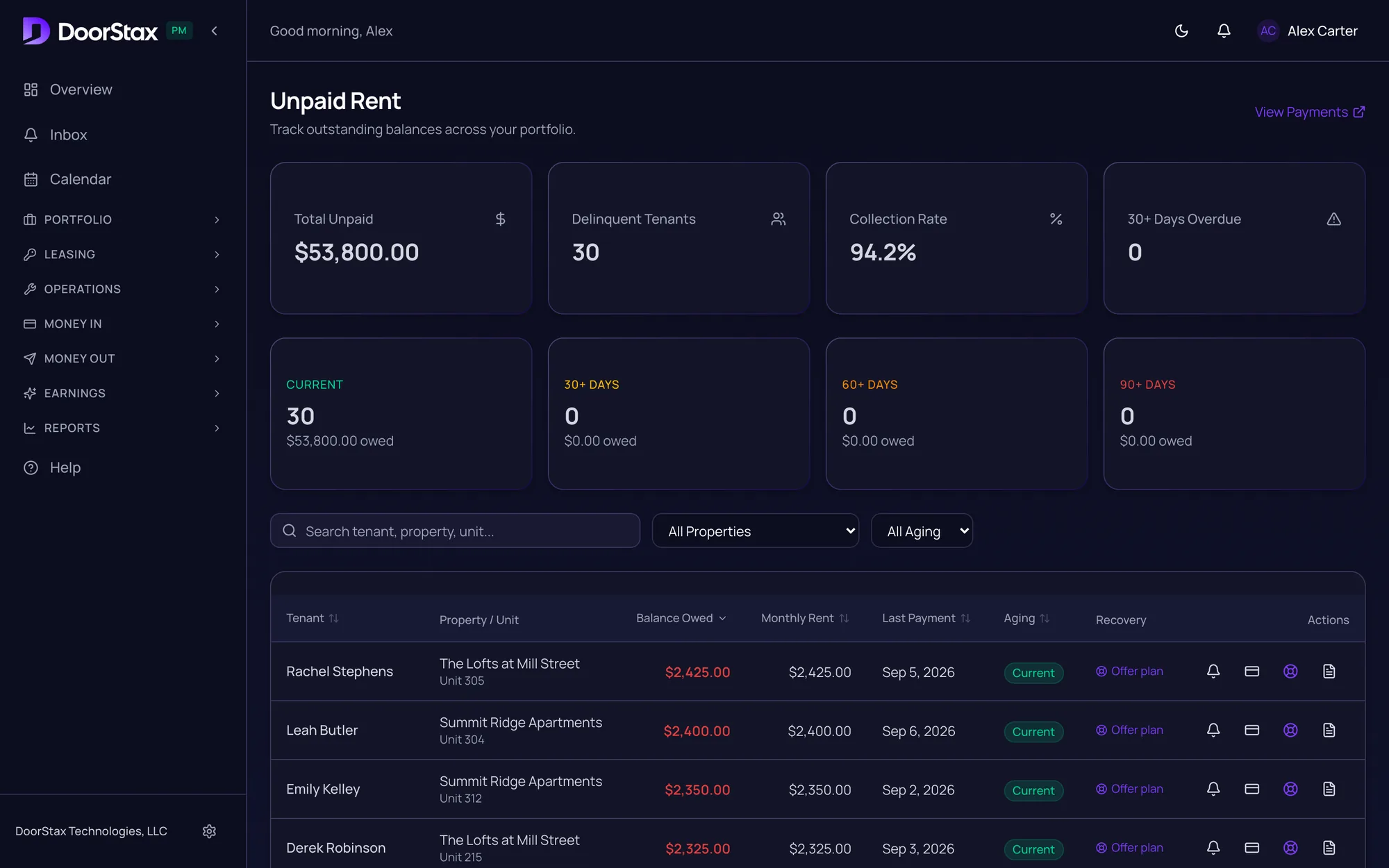
Past due
See who owes what, and for how long.
Overdue rent is grouped by how late it is. Send a reminder from the same list.
Owner payouts
Payouts and statements from the same ledger.
Review each owner, approve, done.
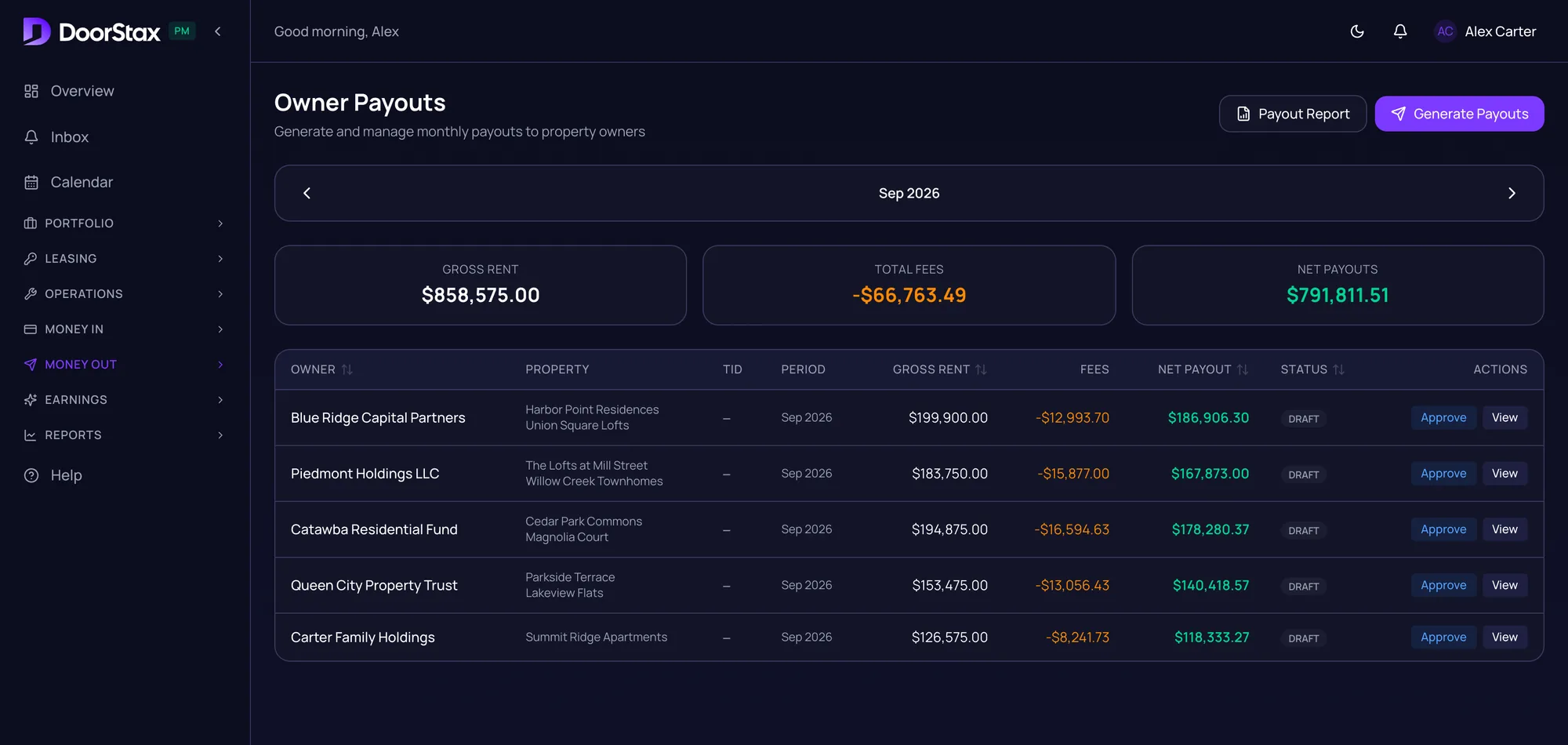
Swipe sideways for the amounts.
The building
Maintenance, vendors and inspections on the same records.
Work orders carry photos and priority, and go to the vendors in your directory.
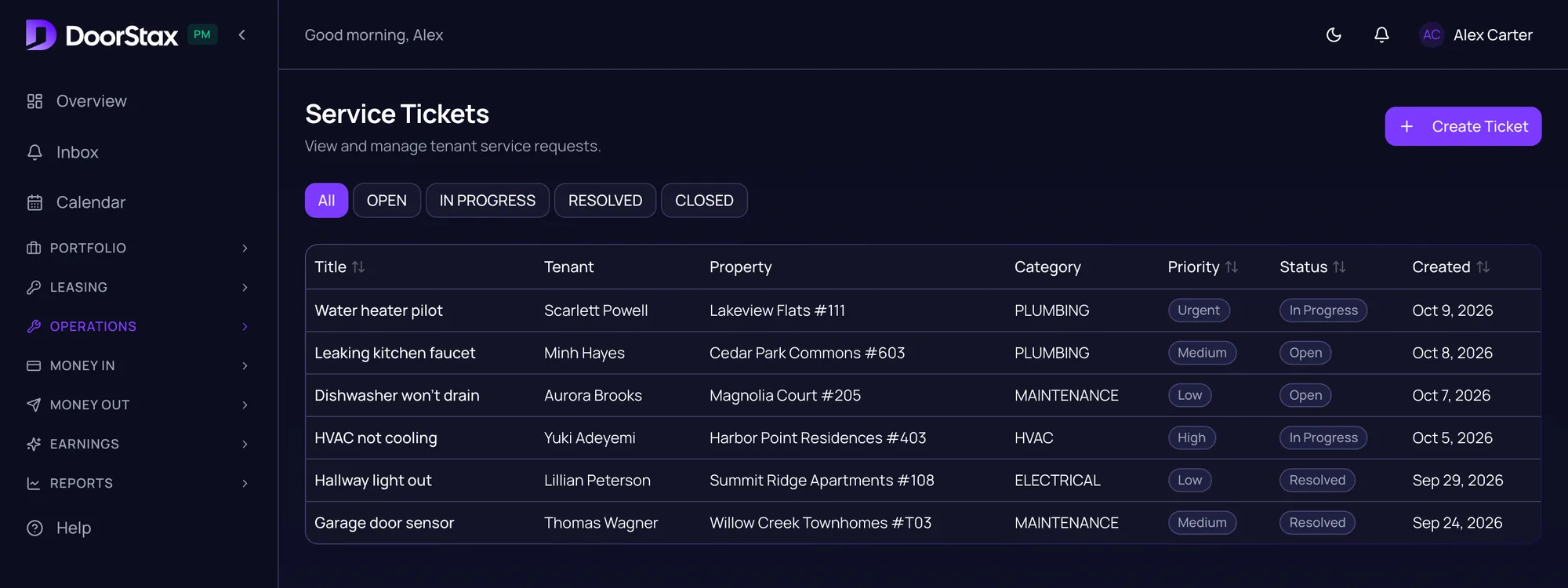
And the rest of the operation
Leasing
Listings, applications and screening.
Reporting and accounting
Reports, a general ledger and a tax center.
Tenants
A tenant portal and the mobile app, with guided onboarding.
My Earnings
Between Money Out and Reports, there’s a page called Earnings.
It shows what qualifying rent payments earn you. This month, and projected for the year.
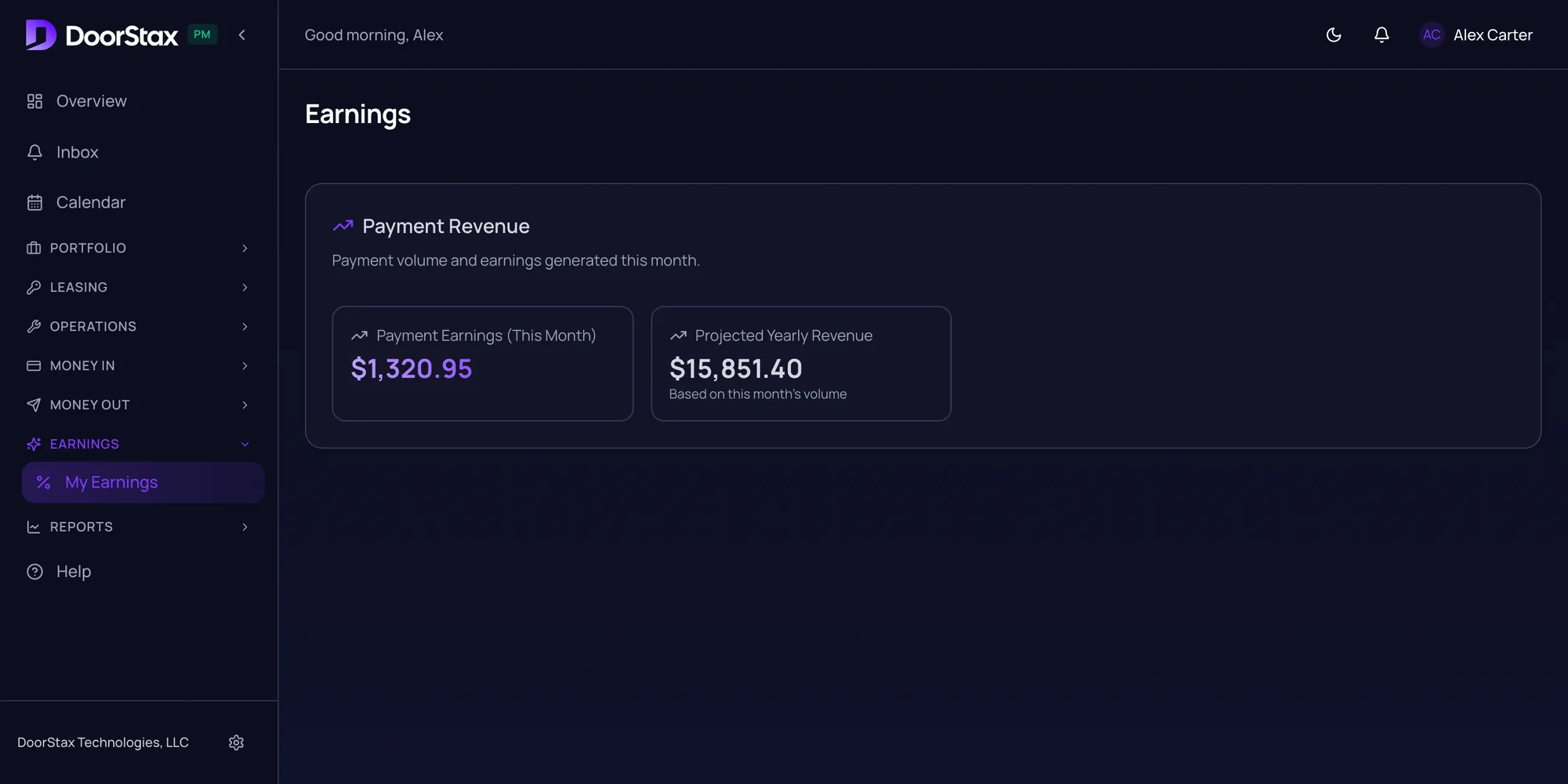
PAYMENT EARNINGS · THIS MONTH
$1,320.95
Projected yearly: $15,851.40
Demo portfolio. Your figures will differ.
From the Earnings page. Demo portfolio.
Size your second revenue line.
Move the slider to your door count. The range is an illustration, and the software price sits beside it.
What could your portfolio generate?
An illustrative range for a portfolio this size
in payment earnings, on top of your management fees
Software price only. Payment processing is priced on your merchant account.
How is this estimated?
Illustrative estimate. Not a quote and not a promise.
Illustrative estimate. Not a quote and not a promise.
Illustrative estimate. Not a quote and not a promise.
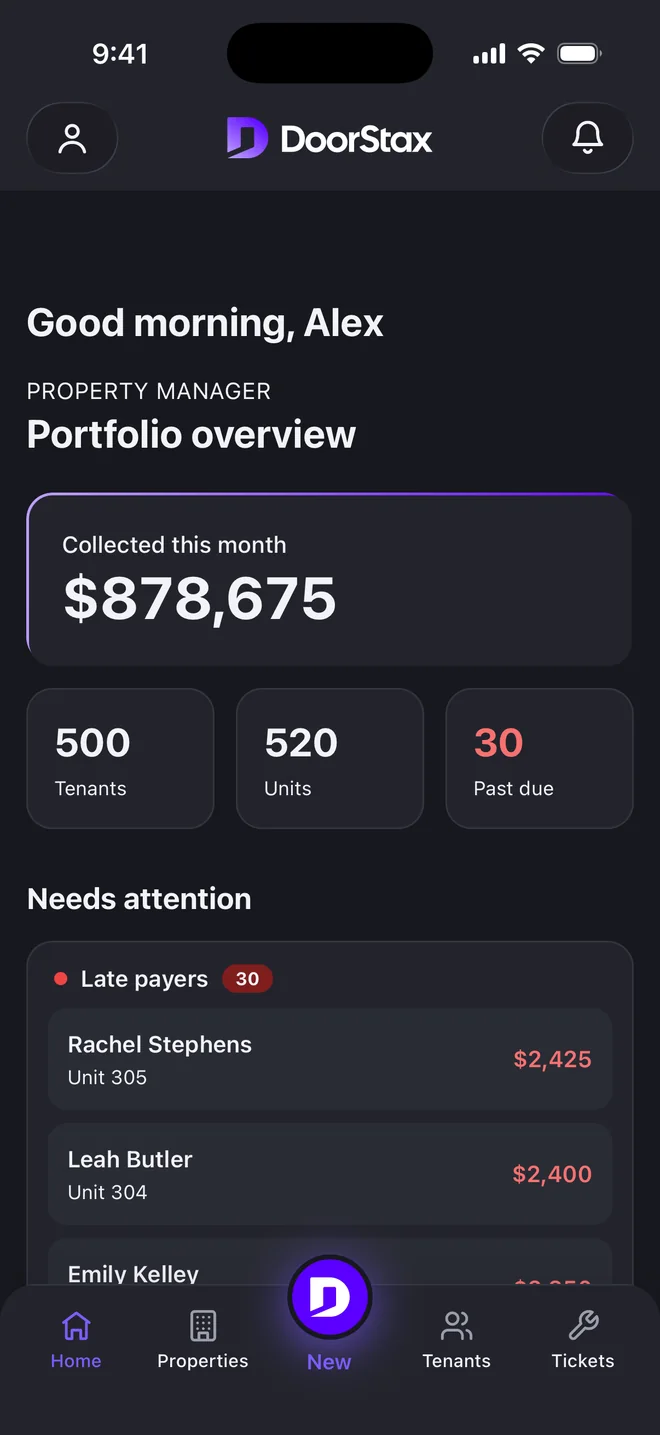
Your portfolio, in your pocket.
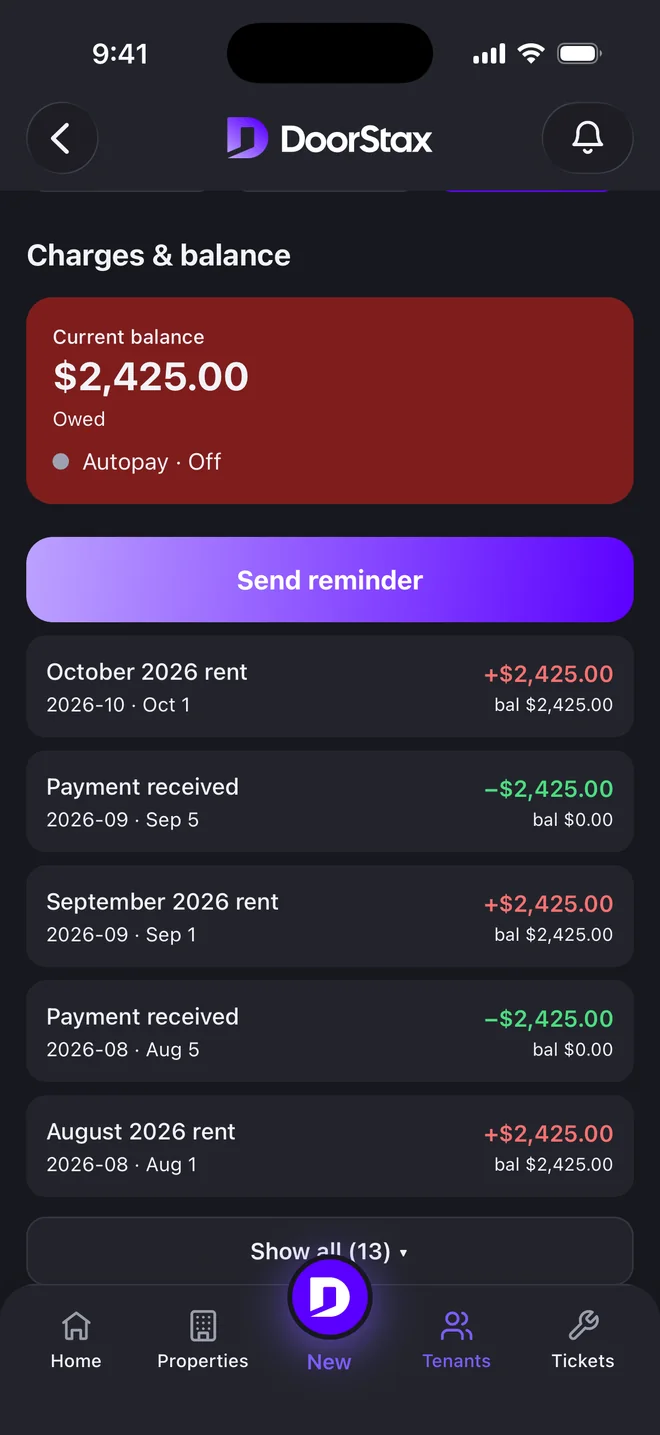
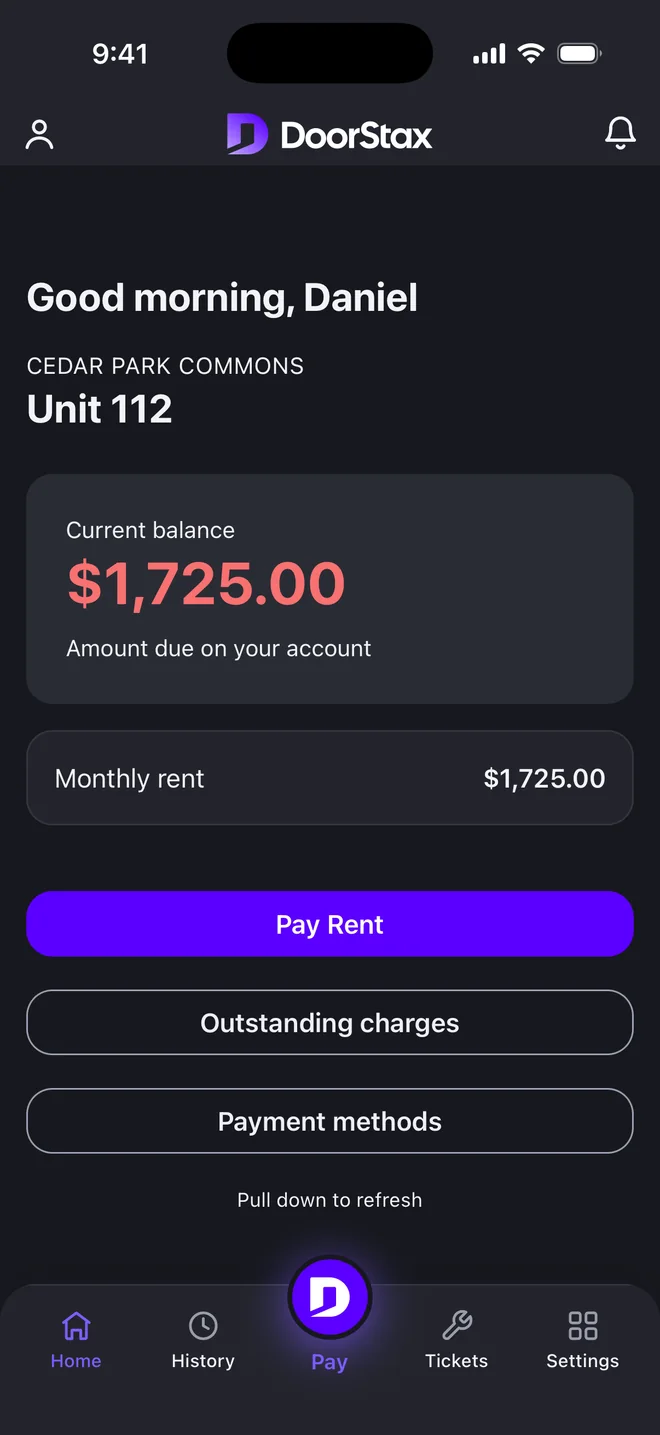
The manager side of the DoorStax mobile app.
- See what was collected and who is behind.
- Open a tenant, check the ledger and send a reminder.
- Follow work orders, with photos.

Live now on Google Play. On iPhone, by invitation only at the moment.
Screens use demo data.
Manager side
Tenant side
Google Play and the Google Play logo are trademarks of Google LLC.
Switching
How painful is switching?
DoorStax replaces your current system. Moving over takes three steps.
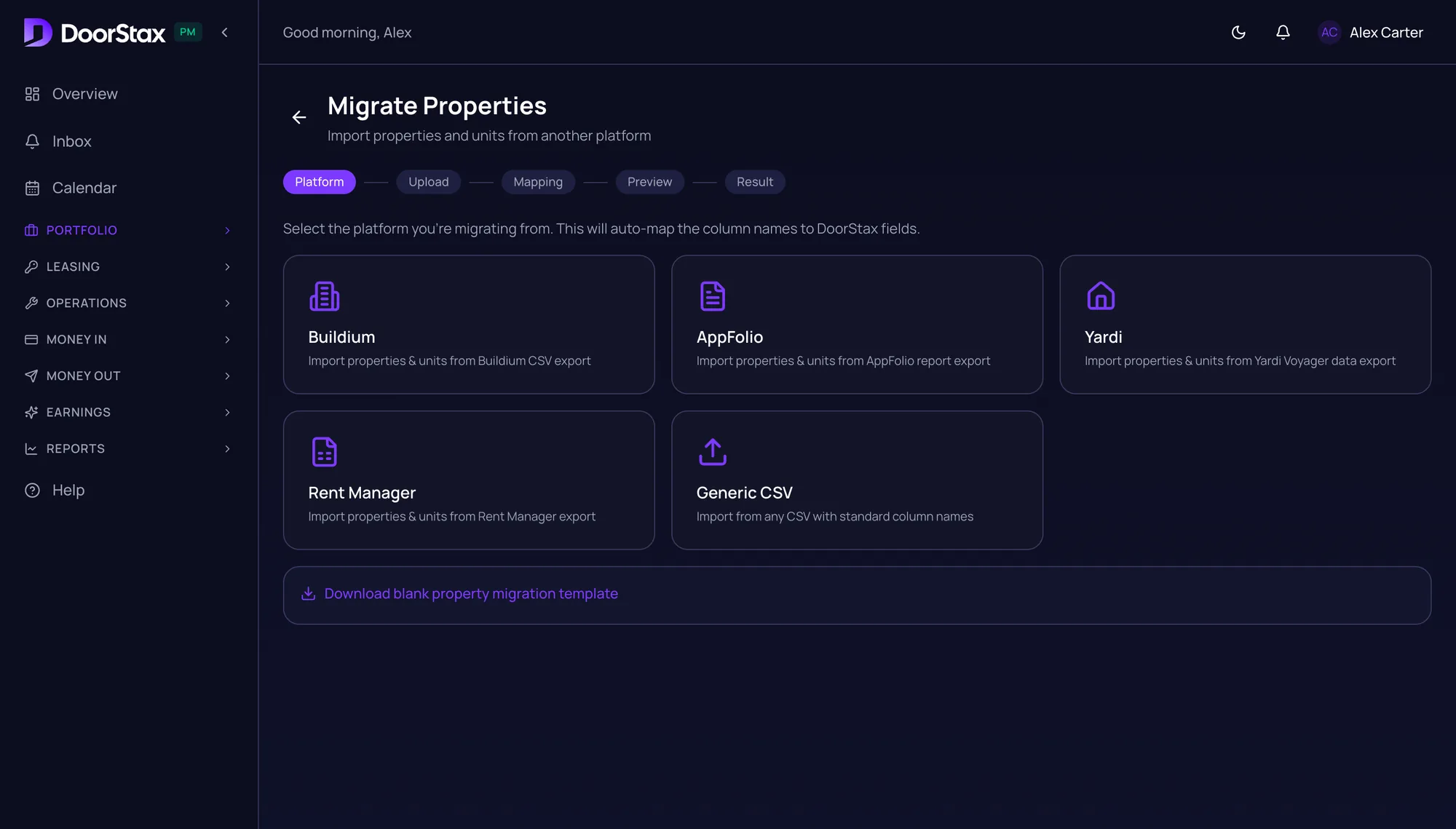
Import
Export a CSV from your current system, whether it is Buildium, AppFolio, Rent Manager or something else. DoorStax maps the columns, and you review the data before anything is imported.
Open your merchant account
Set up your merchant account in your company’s name, with our help, before you process payments.
Invite your tenants
Each tenant gets an email and adds a bank account or card once.
Timing depends on your portfolio and on your merchant account approval, so we do not quote a number of days.
Try it on your own portfolio.
No card required.
Questions before you switch
Who actually holds the money?
You do. Rent settles directly to your bank from your own Kadima Payments merchant account. DoorStax never holds, pools or transmits your funds.
Who is the merchant of record?
You are. The merchant account is opened with Kadima Payments in your company’s name. DoorStax is a payment technology provider, not the merchant of record.
How does the Earnings page work?
You hold the merchant account, and qualifying rent payment volume can generate earnings for your company. Your Earnings page shows this month’s figure and the projection for the year. Every figure on this page is an illustration, not a quote and not a promise.
Do I have to replace my current system?
Yes. DoorStax replaces your current system rather than adding to it. Moving from Buildium or AppFolio starts with a CSV export, and the migration tool maps your properties, units and tenants.
How quickly can we launch?
Launch is three steps. Start free for 14 days with no card and import your properties, units and tenants from a CSV export. Set up your merchant account in your company’s name, with our help, before you process payments. Then each tenant adds a bank account or card once. Timing depends on your portfolio and on your merchant account approval, so we do not quote a number of days.
What happens to my owners?
Owners are paid from the same ledger as everything else. Payouts and owner statements come from one place, and you review and approve each payout.
Is DoorStax available on mobile?
Yes. The DoorStax mobile app is live on Google Play, with a manager side and a tenant side. On iPhone it is available by invitation only at the moment. Tenants can also pay in the tenant portal.
What does DoorStax cost?
$1 per unit per month, with a $100 monthly minimum. No percentage of rent, no per-building fees and no setup costs. That is the software price; payment processing is priced on your merchant account. Start free for 14 days, no card.
Is any amount guaranteed?
No. What you can generate depends on your portfolio. The estimator on this page is an illustration, not a quote and not a promise.
Stack Doors. Get Paid.
Bring your questions.We’ll bring the real product.
A live walkthrough of DoorStax on a demo portfolio, including the Earnings page.
Prefer to look around yourself? Start free for 14 days. No card required.