Rent collection and rental management for landlords
Know what’s paid, what’s late and what needs attention.
DoorStax brings rent, tenants, leases, maintenance and your books into one place.
Free for 14 days. No card required. On the next screen, choose Landlord.
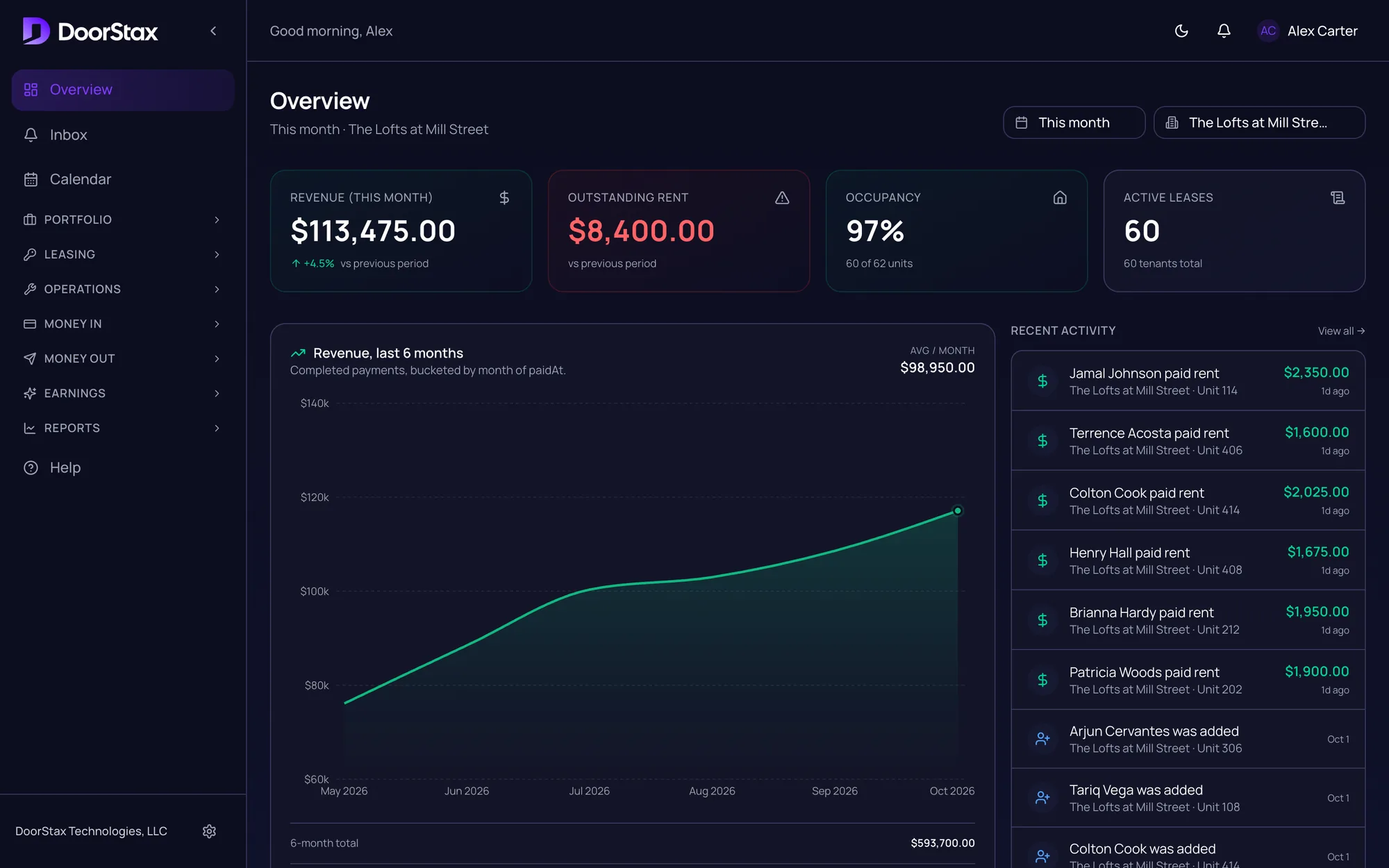
Real product. Demo portfolio: one building, 62 units.
What’s paid.
Know the moment rent lands. Every payment shows who paid, for which unit, and when.
- Tenants pay by bank or card, from their phone or the portal.
- Autopay and reminders do the asking for you.
- Every payment gets a receipt and a place in the history.
Recent activity. Demo portfolio.
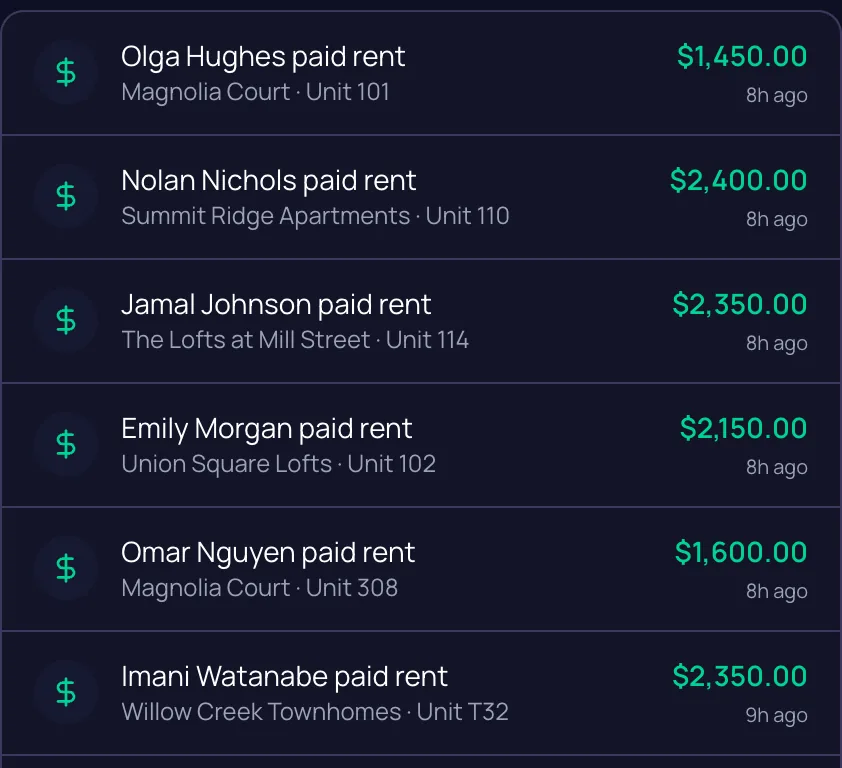
Rent, as it arrives.
What’s late.
Who is behind, how much they owe and when they last paid.
- Every tenant who is behind, with the balance owed.
- Send a reminder from the row.
- Open any tenant’s ledger from the list.
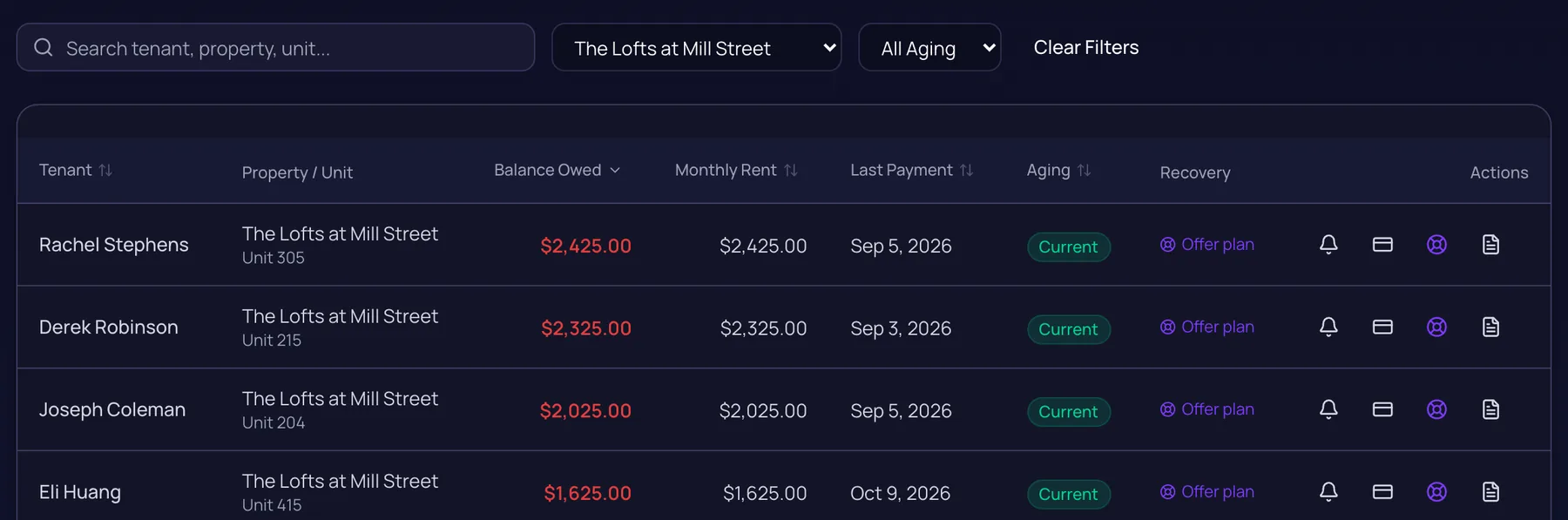
Unpaid Rent. The same building, four tenants behind. Demo portfolio.
What needs attention.
Repairs, leases and documents, before they turn into surprises.
- Work orders with photos, priority and status.
- Lease end dates, with alerts as they approach.
- Vendors and inspections on the same records.
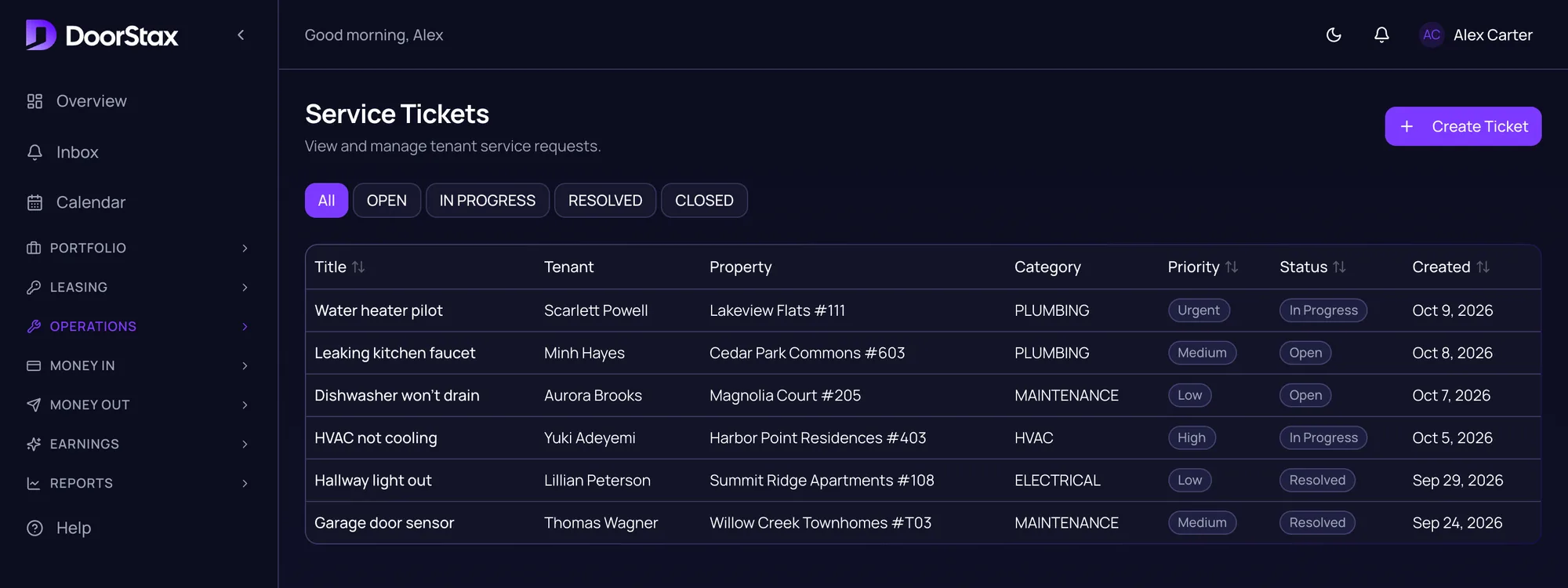
Work orders. Demo portfolio.
What came in. What went out. Why.
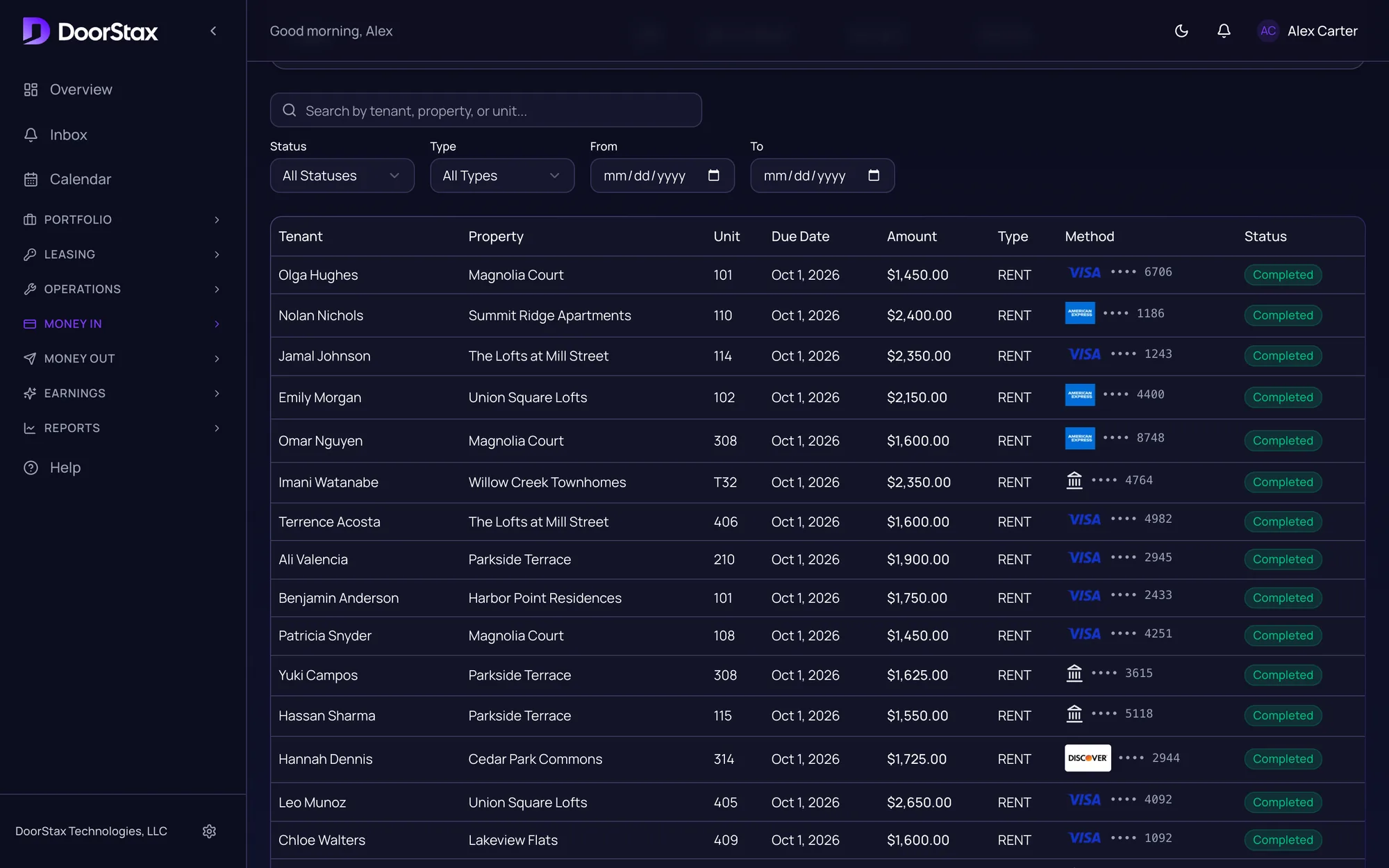
Swipe sideways for the amounts.
Payments. Demo portfolio.
What came in. Every payment, bank or card, in one list.
What went out. Repairs and expenses, recorded against the property.
Every line says what it was for.
Everything in one place
Rent shouldn’t require a spreadsheet and three different apps.
Tenants and leases
Every lease, end date and document, with the tenant it belongs to.
Maintenance and vendors
Work orders, vendors and inspections.
Expenses and reports
Record what you spend and see how each property performs.
Listings and applications
Fill a vacancy with listings, applications and screening.
Tenant portal and app
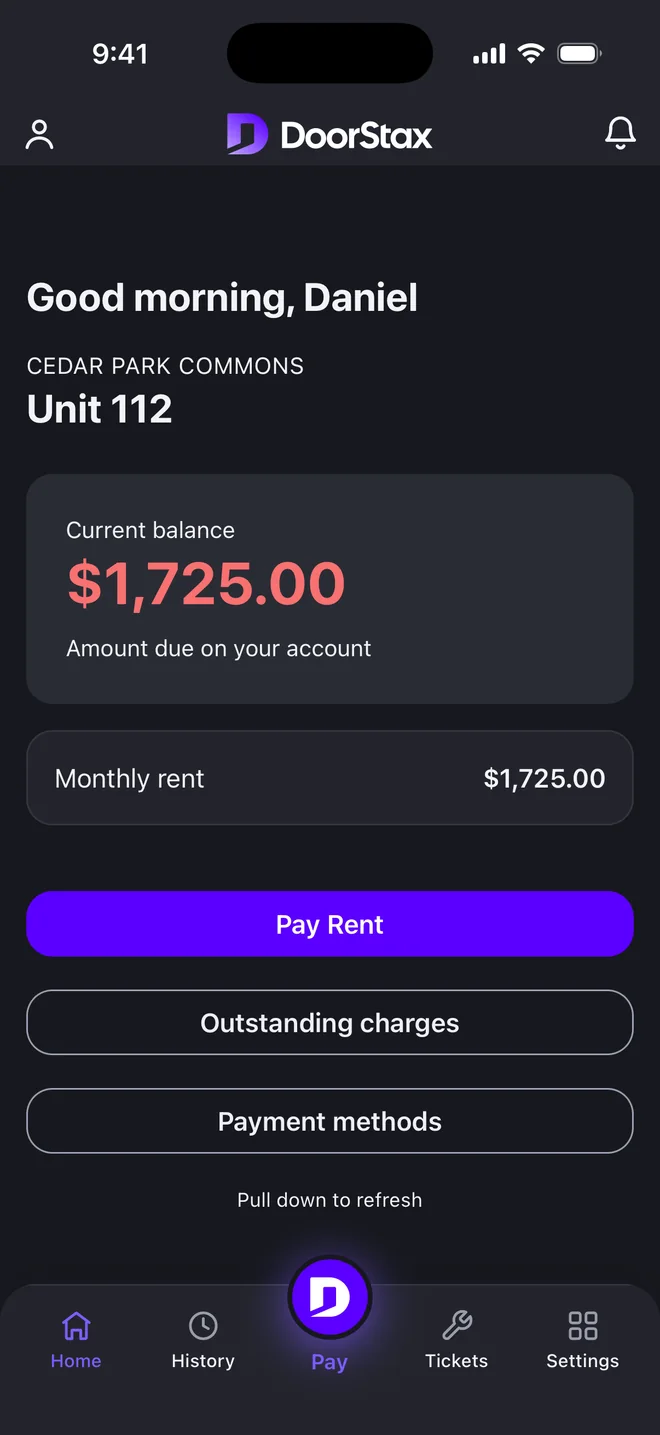
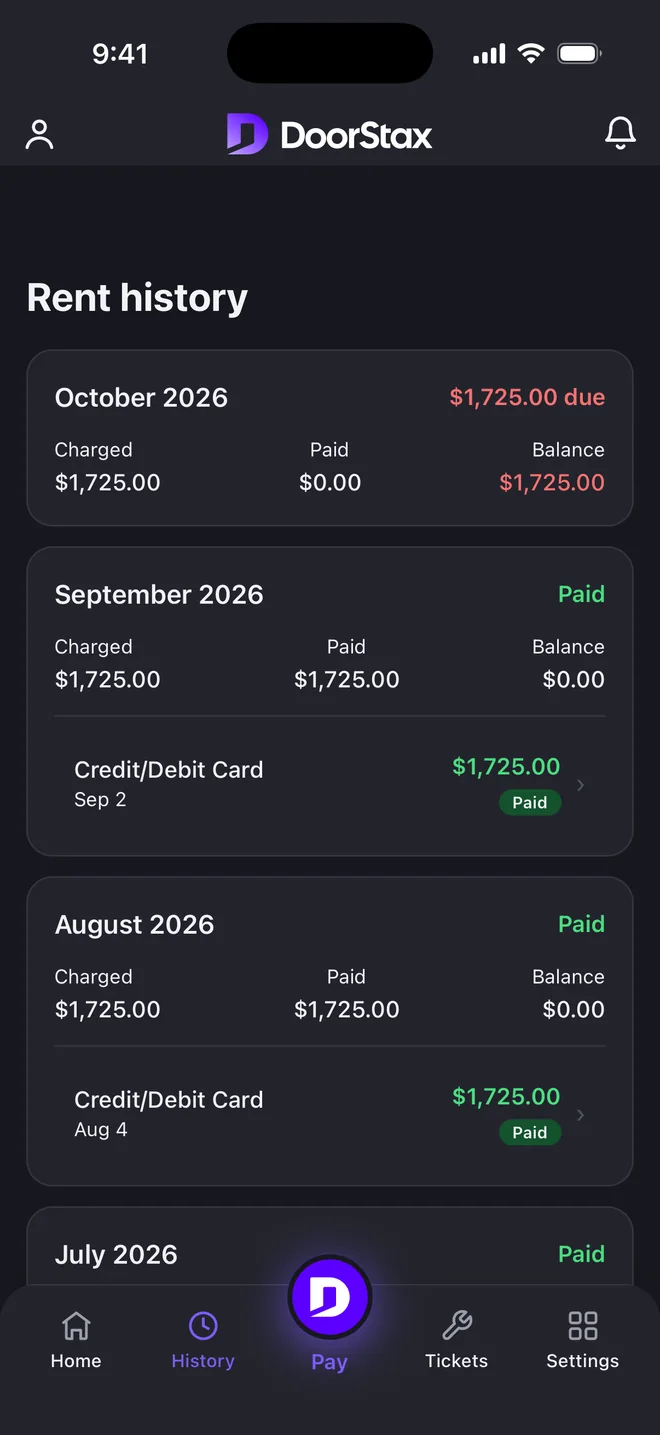
Tenants pay, check their balance and request repairs themselves.
Your books
A general ledger, reports and a tax center.
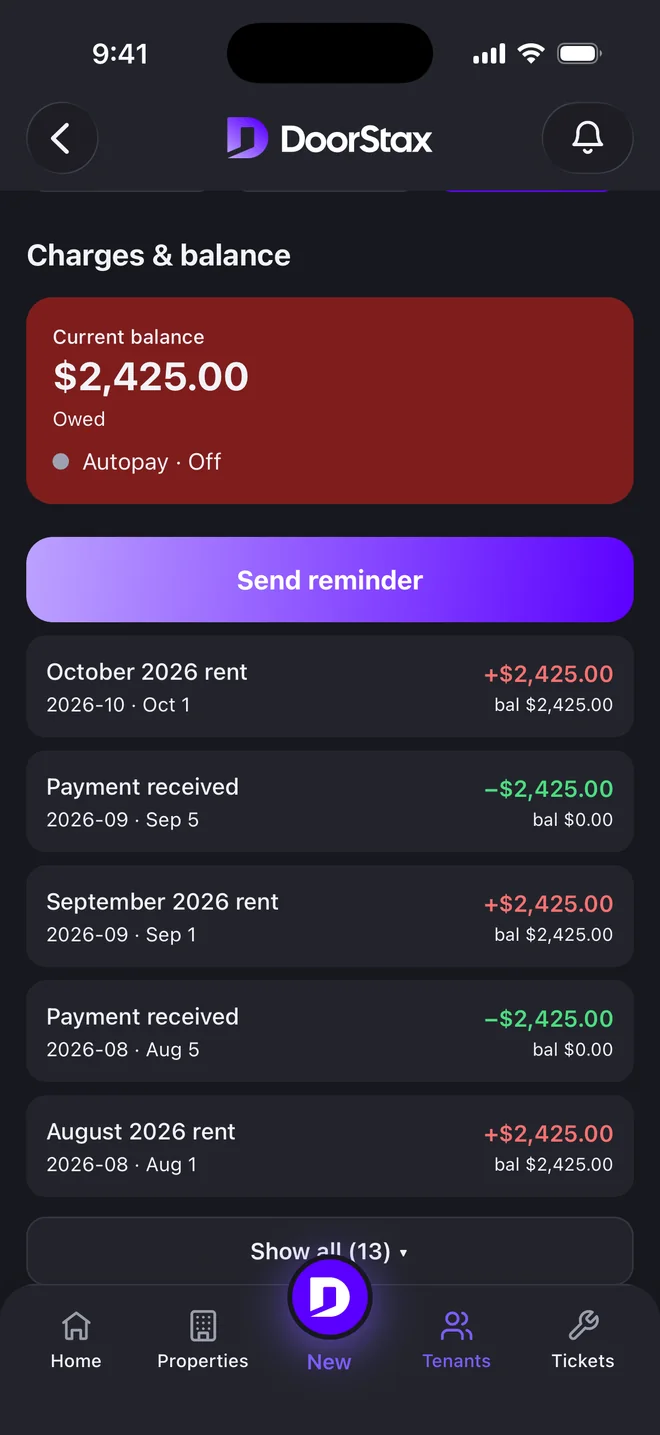
Your rental business in your pocket.
The DoorStax mobile app, with a side for you and a side for your tenants.

Live now on Google Play. On iPhone, by invitation only at the moment.
Screens use demo data.
Your side
Your tenant’s side
Google Play and the Google Play logo are trademarks of Google LLC.
What sits underneath
Your money. Your bank. A clear record.
Rent goes straight to your bank.
It settles directly to you, from your own merchant account. DoorStax never holds your money.
Every payment is on the record.
Each payment and charge is a permanent entry. Corrections are added, never rewritten.
Checked every night.
Your ledger is reconciled against processor settlement each night. A declined payment never shows as paid.
Card processing by Kadima Payments. PCI DSS compliant.
What it costs
$1 per unit per month.$100 monthly minimum.
With fewer than 100 units you pay $100 a month. If you own just a few units, weigh the minimum before you start. That is the software price; payment processing is priced on your merchant account.
Start free for 14 daysNo card required. On the next screen, choose Landlord.
Questions landlords actually ask
Is DoorStax a good fit for a small landlord?
DoorStax is $1 per unit per month with a $100 monthly minimum, so it suits you when you run enough rentals to want one clear system for all of them. If you own just a few units, weigh the minimum before you start. The 14-day trial is free, with no card.
How do my tenants pay?
By bank account (ACH) or card, in the tenant portal or the mobile app. They see the amount before they confirm, and every payment lands in your ledger with a receipt.
Who actually holds the money?
You do. Rent settles directly to your bank from your own Kadima Payments merchant account. DoorStax never holds, pools or transmits your funds.
Do I need a merchant account?
Yes. Rent settles directly to you, so you open a merchant account in your name with Kadima Payments, with our help, before you collect rent through DoorStax. Timing depends on your merchant account approval, so we do not quote a number of days.
Can I move my current properties and tenants over?
Yes. Import properties, units and tenants from a CSV export, review them, then invite each tenant by email. Each tenant adds a bank account or card once.
What does DoorStax cost?
$1 per unit per month, with a $100 monthly minimum. No percentage of rent, no per-building fees and no setup costs. That is the software price; payment processing is priced on your merchant account. Start free for 14 days, no card.
Is DoorStax available on mobile?
Yes. The mobile app is live on Google Play, with a side for you and a side for your tenants. On iPhone it is available by invitation only at the moment. Tenants can also pay in the tenant portal.
Your rentals.One clear picture.
Start free for 14 days.
- 1
Import your properties, units and tenants from a CSV export.
- 2
Set up your merchant account in your name, with our help, before you collect rent.
- 3
Invite your tenants. Each adds a bank account or card once.
No card required. On the next screen, choose Landlord.
Questions? Write to support@doorstax.com.